

We’re thrilled to announce that TikTok is now available as a sharing destination in Ripl! You can connect your TikTok account to Ripl and share your posts directly to this social media.
How do I connect my TikTok account?
You can connect your TikTok account from your Brand Settings or directly from the final share screen.
- Connect TikTok from your Brand settings
1. Navigate to the My brand tab at the top of the screen.
2. Select Settings.
3. Find TikTok in the Social Accounts section and click Connect.
4. Follow the prompts to log in to your TikTok account and authorize Ripl.
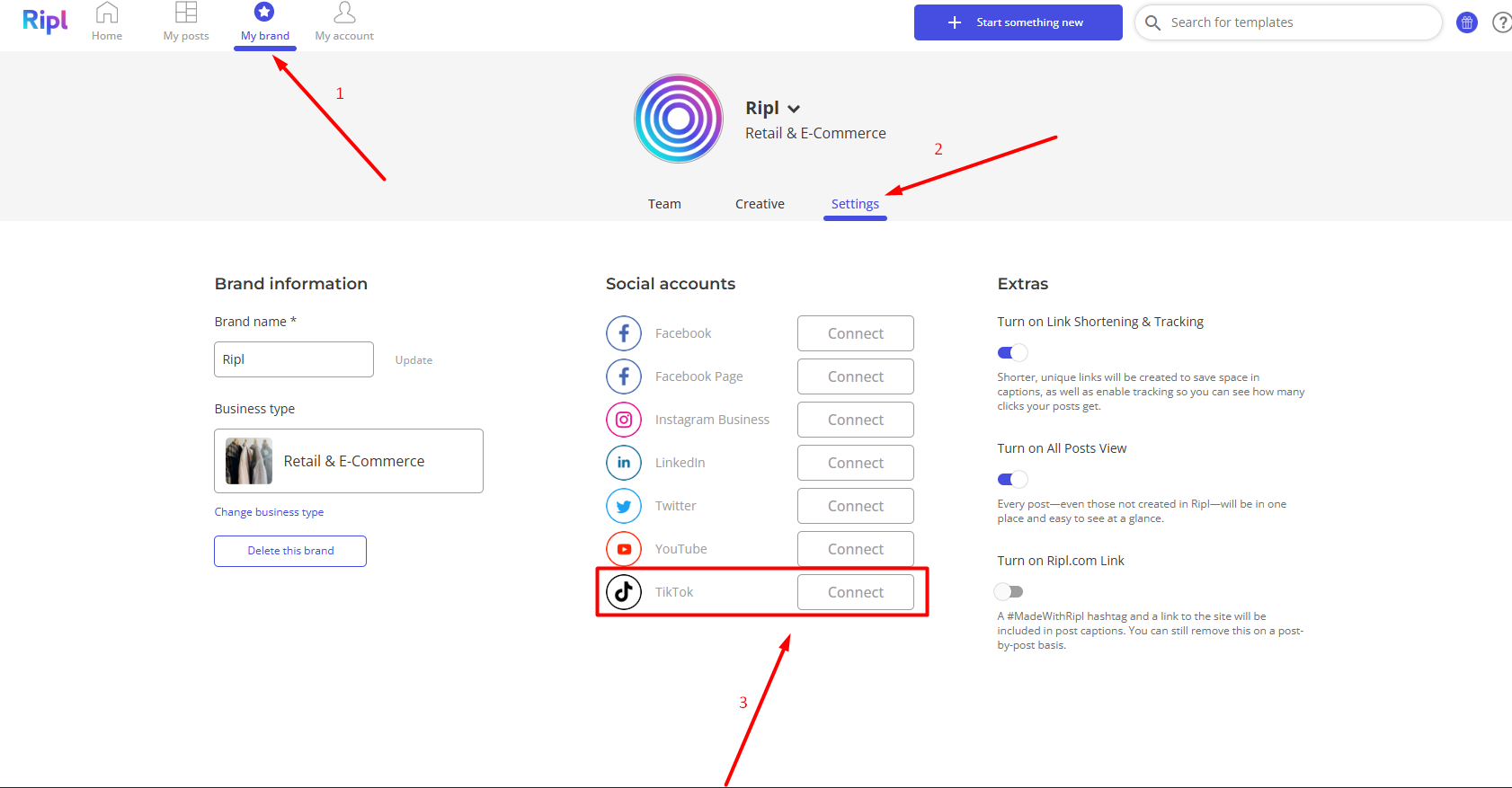
Once the connection is complete, your TikTok account will appear in your connected Social Media Accounts.
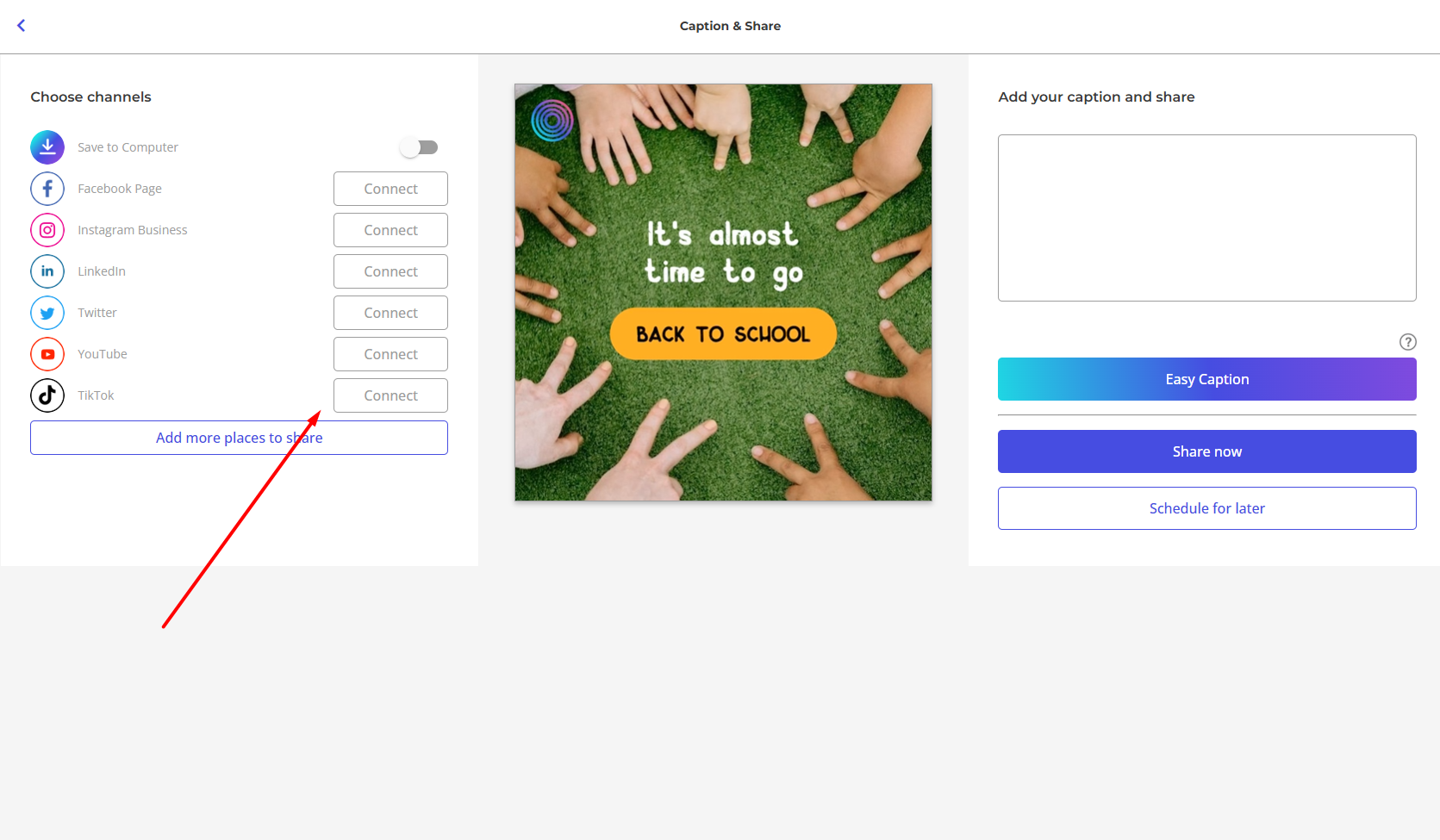
- Connect TikTok while sharing a post
You can also connect your TikTok account while creating and sharing a post. On the final Caption & Share screen, select Connect next to TikTok and follow the prompts to log in and authorize Ripl.
How do I share a Ripl post to TikTok?
Once you've connected your TikTok account, you can select it as a sharing destination when publishing your posts.
1. Create and customize your post in the Ripl app.
2. Proceed to the final Caption & Share screen.
3. Select your connected TikTok account from the available social media accounts.
4. Add or edit your caption as needed (or use the Easy Caption feature to have our AI assistant generate the caption for you) - it will be used as the TikTok title once your post is shared.
5. Click Share to publish your post to TikTok, or Schedule for later* to have it shared at a later date and time. You will be prompted to specify who can view your post on TikTok, how the viewers can engage with it, and whether the post contains a promotion of any kind. Once done, click "Okay" and the post will go through.
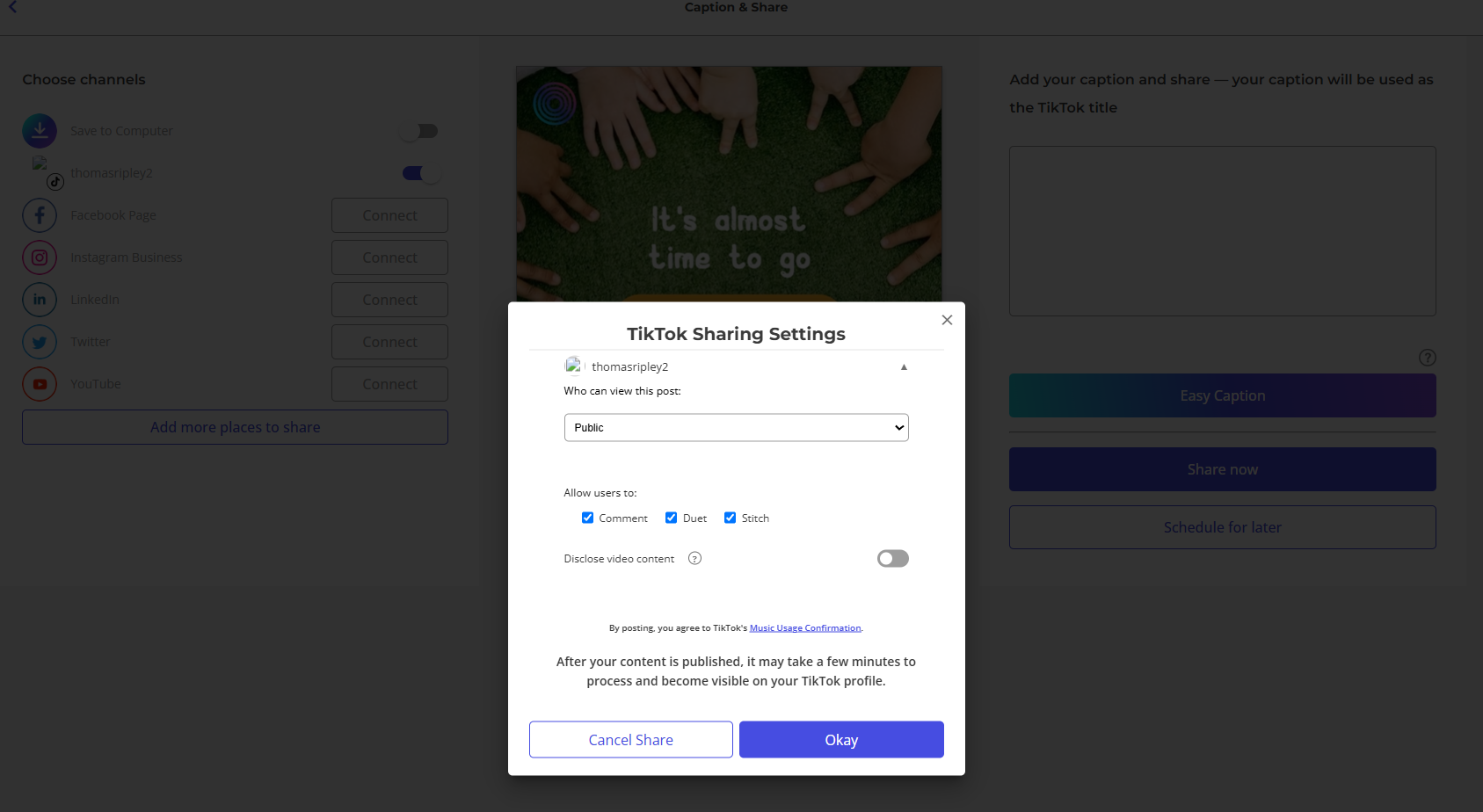
You can also select TikTok alongside other connected social media accounts if you'd like to share your Ripl post to multiple destinations.
How do I disconnect TikTok?
If you no longer want your TikTok account connected to Ripl, navigate to the Social Accounts section of your Brand settings and select Disconnect next to the TikTok account.
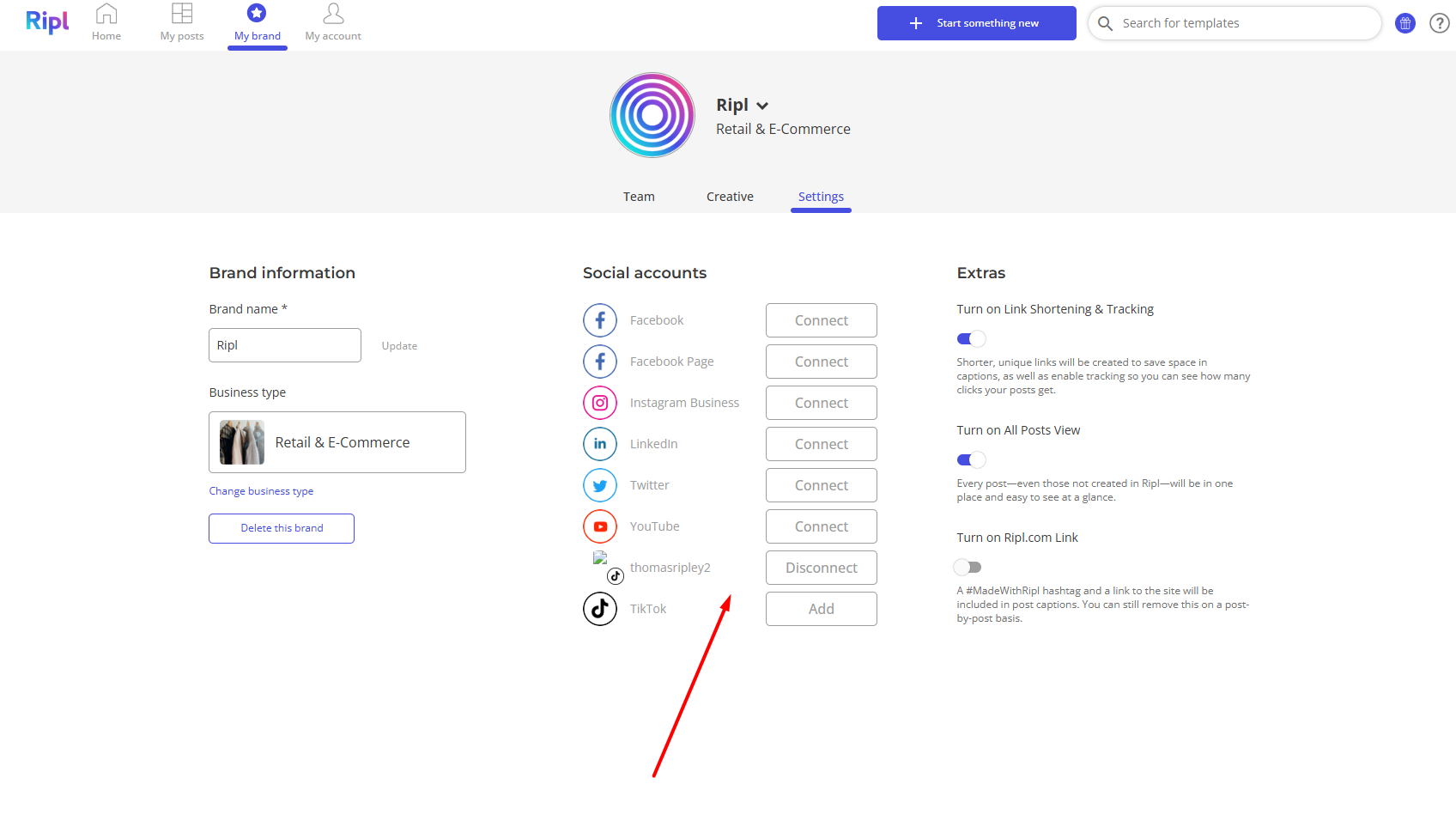
You can reconnect the account at any time by following the connection steps above.
Is TikTok available in the Ripl mobile apps?
Not yet. TikTok integration is currently available exclusively in the Ripl web app. We plan to bring TikTok support to our mobile platforms at a later date. Stay tuned!
If you have any questions or experience issues connecting or sharing to TikTok, please reach out to our Support Team at feedback@ripl.com.
*The "Schedule for later" option is available exclusively to our Premium-tier subscribers.